Bring files, docs, and conversations into one
AI workbench.
ContextGo connects files, docs, chats, and runtime access so agents can keep working inside real workflows instead of isolated chat threads.
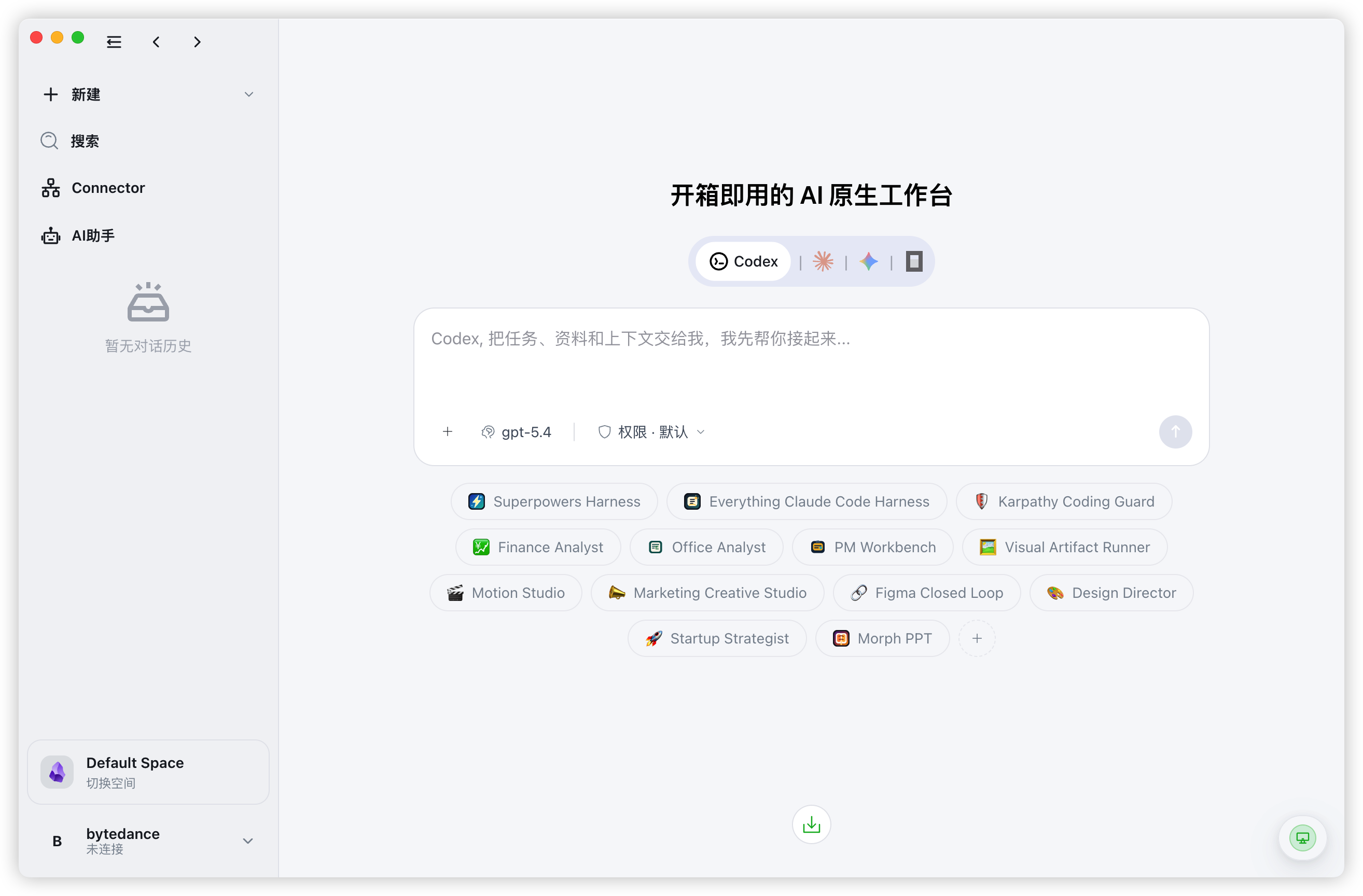
Not another chat box. A workbench for real work.
Bring files, docs, tasks, conversations, and agent runtime into one operating surface.
That is how AI can keep reading, acting, and collaborating beyond a single prompt.
- Work from files, docs, tasks, and chats in one place
- Keep the desktop as the execution host and extend access remotely
- Publish agents into Slack, Discord, Lark, and the web
- Reuse the same context across setup, execution, and delivery
Connected Context
Connect files, knowledge, tasks, and working history so agents can continue from the real state of the job.
Fits Your Stack
Do not rebuild your workflow first. Start by connecting the directories, docs, chats, and tools teams already use.
Multi-Surface Collaboration
Bring agents into the web, Slack, Discord, Lark, and other working surfaces so people and AI can keep moving together.
One Workbench
Keep context, runtime access, automation, and delivery entry points inside one product surface.
Learn the product, install it, and keep up with releases
The website brings together docs, blog posts, downloads, and release history so customers can evaluate ContextGo, install it, and follow what ships next.
Start with installation, remote access, and runtime docs
Use the docs to understand setup, runtime readiness, remote access, and the most common support questions.
Follow product thinking and major updates
Use the blog for product rationale, architecture decisions, and user-facing explanations of new capabilities.
Track releases, downloads, and verification
Check release history, release notes, download links, and checksum status before you install or upgrade.
One workbench for files, docs, runtime, and agent work
ContextGo brings source material, runtime access, and remote use into one working system so agents can keep moving with the job instead of restarting from scratch.
Explore the main ways teams use ContextGo
These pages explain the workbench, remote access, team context, and release model so visitors can judge quickly whether ContextGo fits their workflow.
ContextGo as an AI workbench for real operating context
Use ContextGo when the job is not just to chat with a model, but to connect materials, runtime access, and execution history inside one workbench.
Remote AI workspace access without inventing a second host
Use ContextGo when the product has to work across desktop, browser, and mobile, but the real execution host still lives on the desktop machine.
A team context engine that keeps knowledge, tasks, and memory reusable
Use ContextGo when the bigger problem is not prompt quality but fragmented working memory across docs, channels, projects, and recurring operations.
Homepage FAQ
What is ContextGo in practical terms?
ContextGo is an AI workbench that connects files, docs, chats, tasks, and runtime access so agents can keep working inside a real workflow instead of one isolated chat turn at a time.
Who is ContextGo designed for?
It is designed for teams that want one place to coordinate source material, execution, remote access, and delivery instead of splitting the workflow across disconnected tools.
Where does the actual work run?
The desktop host remains the real execution environment. Browser and mobile surfaces are remote clients that reuse the same workspace, tools, and context layer from the host.